BUG Rating
Rate the backlight, uplight and glare of IES and LDT files against ANSI/IES TM-15-20. One file needs no account; many files give one CSV with a free account.
On this page
One file
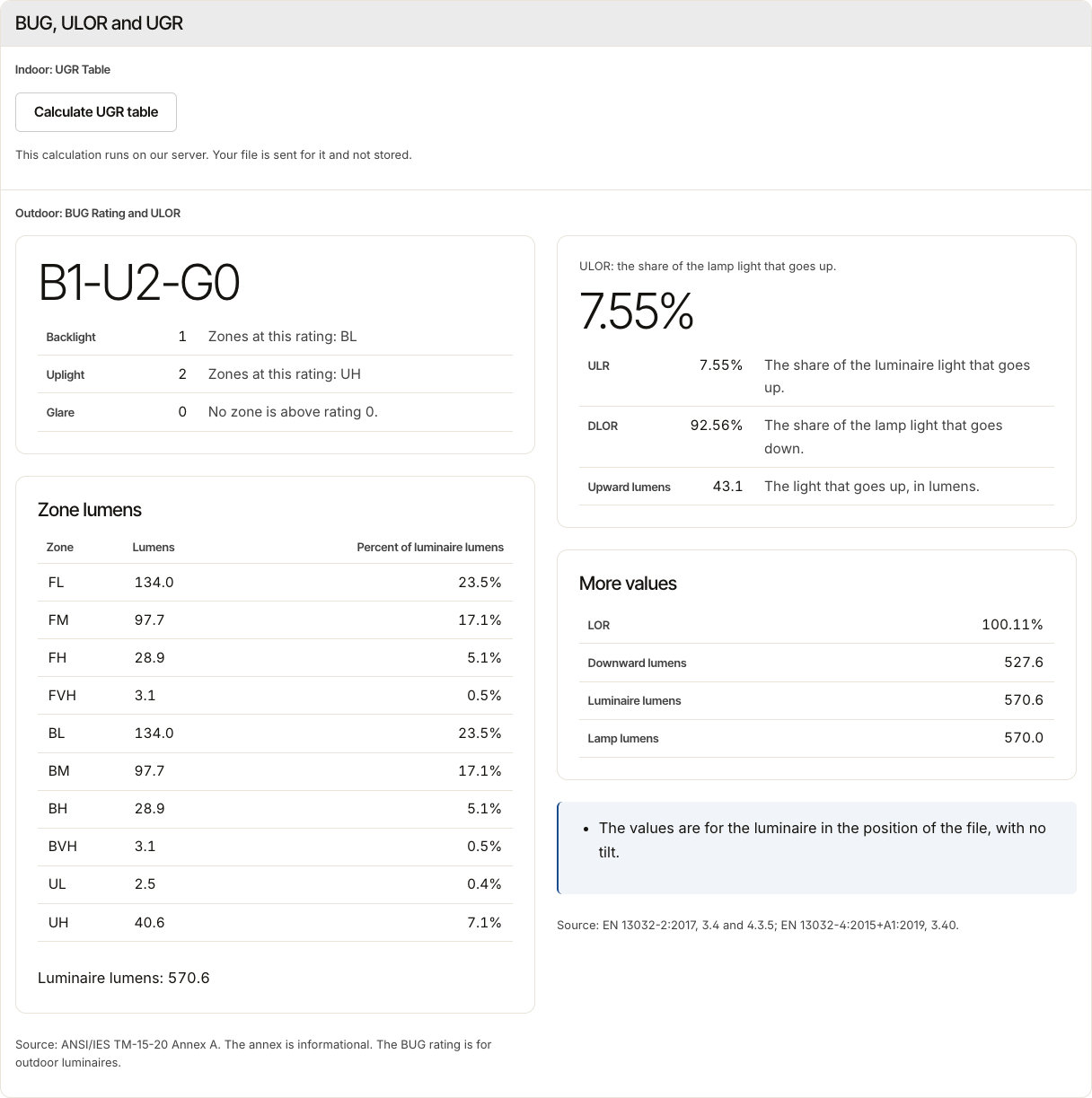
Open Tools, then BUG Rating under Free tools. Drop one IES or LDT file, then select Calculate. The file opens in View, at BUG, ULOR and UGR.
Read the rating
The rating has three letters with a number each, for example B1-U2-G0: backlight, uplight and glare. The page names the zones that set each letter, and the Zone lumens table gives the light in each zone. The front of the luminaire is the front that the file states.
Many files
Sign in, open Tools, then BUG Rating under Free account. Drop the files, then select Calculate ratings. The job skips a file that it cannot read and says so. When it is done, select Download CSV: one row for each file.
Where your files go
One file goes to View, which keeps no copy of it. For many files, IESDesk deletes each file once it is rated, and the CSV stays in Your files for 30 days. The privacy notice has the details.