Enterprise
Work with more files. Put your company’s branding on the documents you send to customers.
A free account takes up to 100 files per batch or job. Enterprise adds higher limits, branded report sheets and custom diagram themes.
IESDesk protects the photometric data in your files on both plans.
On this page
Free and Enterprise
| What you get | Free | Enterprise |
|---|---|---|
| Files per batch or job | 100 | Up to thousands |
| Diagram styles | Minimal | All styles |
| Custom diagram themes | Not included | Included |
| Report logo, name and footer | Not included | Included |
| Remove the report credit | Not included | Included |
We agree on your limits before we enable Enterprise. Daily job limits still apply.
Use your own branding
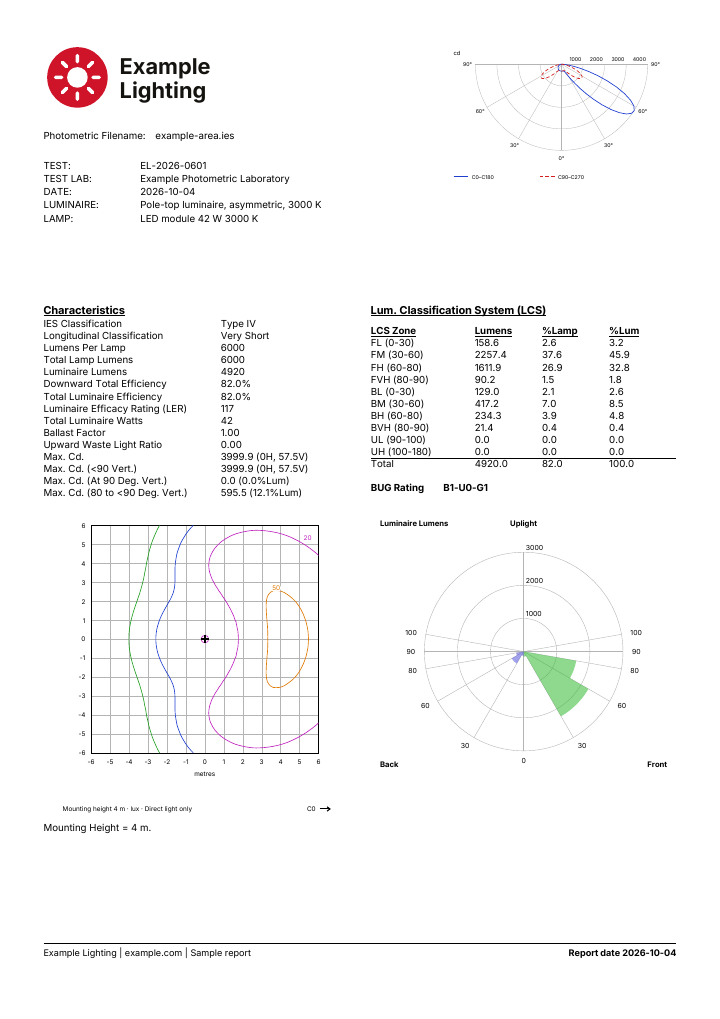
Add your logo or company name and a custom footer to report sheets. Remove the “Made with IESDesk” credit.
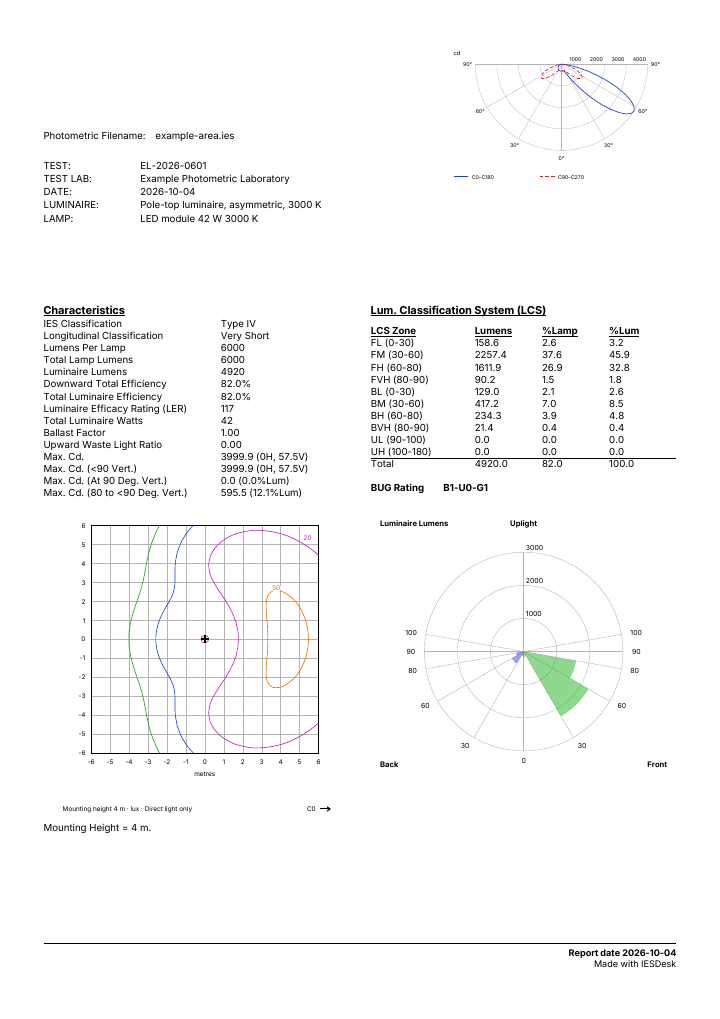
Both sheets use the same file and layout, with identical photometric values. Example Lighting is a sample company.
Free
Enterprise
Select a sheet to open the full PDF.
Choose a ready-made style
These four examples use the same file. Minimal is available on Free. Enterprise includes all four styles.
Minimal
Free and Enterprise
Technical
Enterprise
Dark
Enterprise
Enterprise
Use these styles for polar, Cartesian, cone and isolux diagrams.
What you can customise
- Colours and lines
- Set the background, curve, grid and text colours. Adjust line widths, dash patterns and fill opacity.
- Fonts and labels
- Choose from the available fonts. Set text and label sizes, and show the file name as a heading.
- Diagram settings
- Choose units, planes and grid rings. Set cone distances and the beam look. Set isolux height and light levels.
- Saved themes
- Save your choices as a theme and apply it to the files in your next diagram job.
Tell us what you need
Tell us how many files you process and which documents you make. We will discuss the limits and branding you need.