Edit many files
Change the text of many IES and LDT files at once, and download them in one ZIP file. The light data stays as measured.
On this page
Before you start
Edit needs a free account. Sign up with your work email. A free account takes up to 100 files in a batch.
Choose the files
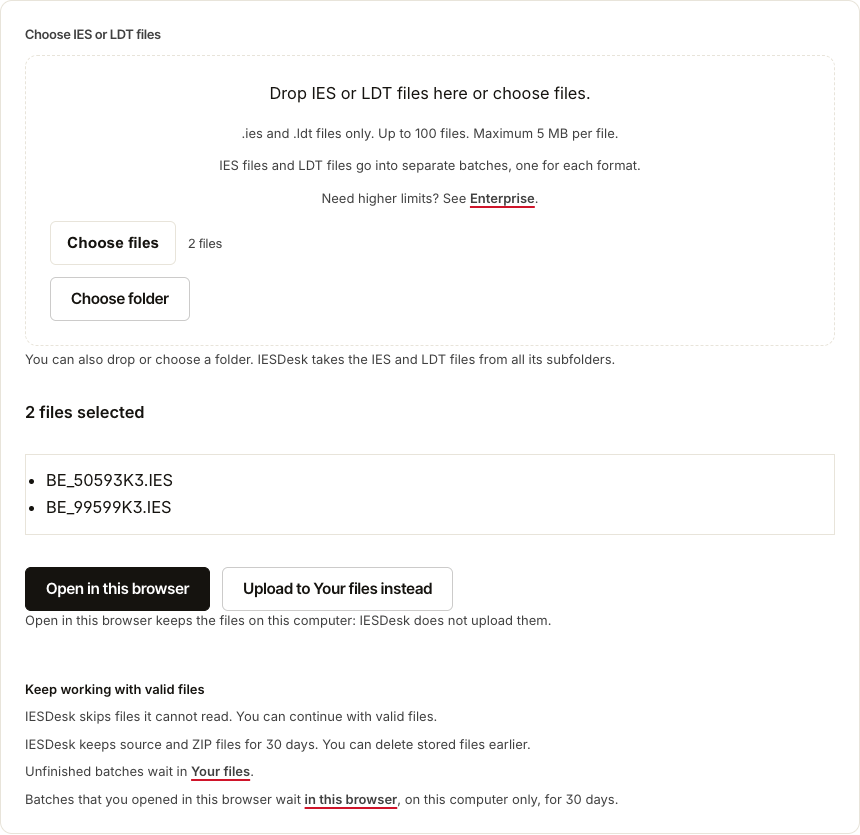
Open Tools, then Edit. Drop the files or a folder, or choose them. IESDesk takes the IES and LDT files from all subfolders and names each file that it leaves out. IES and LDT files go into two batches. Select Open in this browser, or Upload to Your files instead to keep the files in Your files from the start. If the page shows Upload and edit, the files go to Your files; the steps below are the same.
Edit in the table
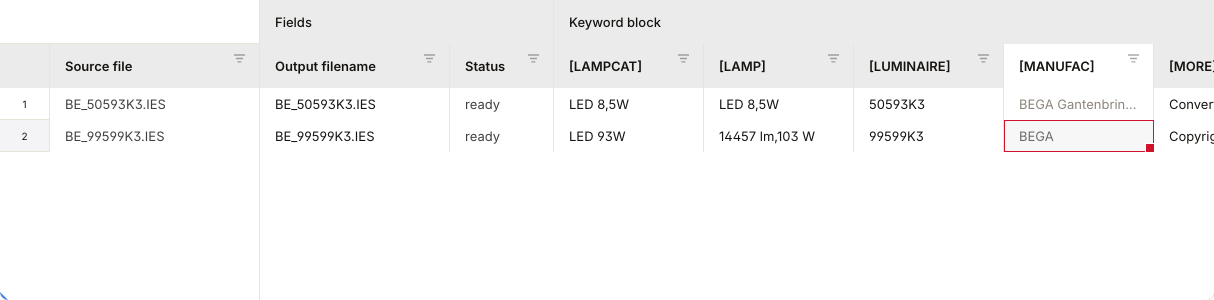
Each row is a file, and each column a text field. Select a cell and type. A changed cell gets a colour. A value that the file cannot take is marked, with the reason. Undo takes back the last change.
Change one column in every file
Above the table, choose the column and the operation: Set value, Find and replace, Add prefix, Add suffix or Restore original. Select Apply. It changes the files that the table shows, so filter the table first to change some of them.

Download the files
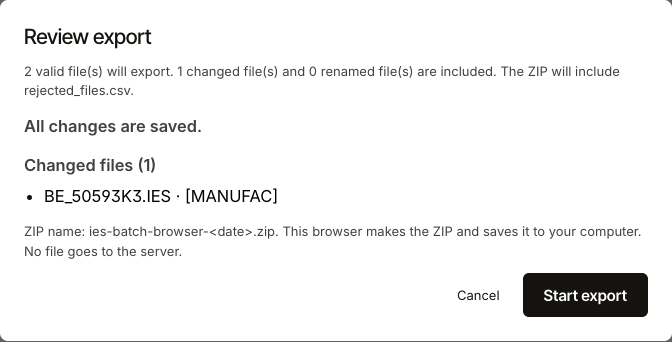
Select Export ZIP, check the list of changes, then select Start export. IESDesk checks each file before it goes into the ZIP. A file that fails a check stays out, and rejected_files.csv in the ZIP gives the reason.
Keep the work
A batch opened in this browser stays there, on this computer, for 30 days. To open it on another computer, select Save to Your files. An uploaded batch waits in Your files for 30 days. In Your files you can also download the text as an Excel or CSV sheet, change it there and upload it again.
The light data does not change
Edit changes text fields only. The candela values, the angles, the lumens and every other measured value stay as they are, and IESDesk checks each file before the download.
Where your files go
With Open in this browser, the files stay on your computer until you select Save to Your files. Files that you upload stay in Your files for 30 days, and you can delete them earlier. The privacy notice has the details.