Check IES and LDT files from Claude or ChatGPT
Check IES and LDT files from Claude or ChatGPT. Get figures, side-by-side comparisons, lighting scenes and metadata edits with a free IESDesk account.
On this page
IESDesk
Many lighting designers and product managers already have Claude or ChatGPT open while they work. Until now, the chat could talk about a photometric file but could not read one. It guessed. Now you can add IESDesk to the chat. The figures then come from the same calculation as the IESDesk pages, not from the AI.
What you can ask
- View one file. "Show me the figures of this downlight." You get light output, power, efficacy, beam angle and the light-emitting area.
- Compare files. "Compare these two files of the same luminaire." You get 2 or 3 files side by side, for example an IES and an LDT file of one product, or two versions of one file.
- Check a lighting scene. "Check this street light on 8 m poles, 20 m apart, along an 8 m road." You get the average, the lowest and the highest value, and a link to the Lighting Scenes page with the same settings.
- Edit metadata in many files. "Set the manufacturer name to the same text in these files." You see every change in a table first.
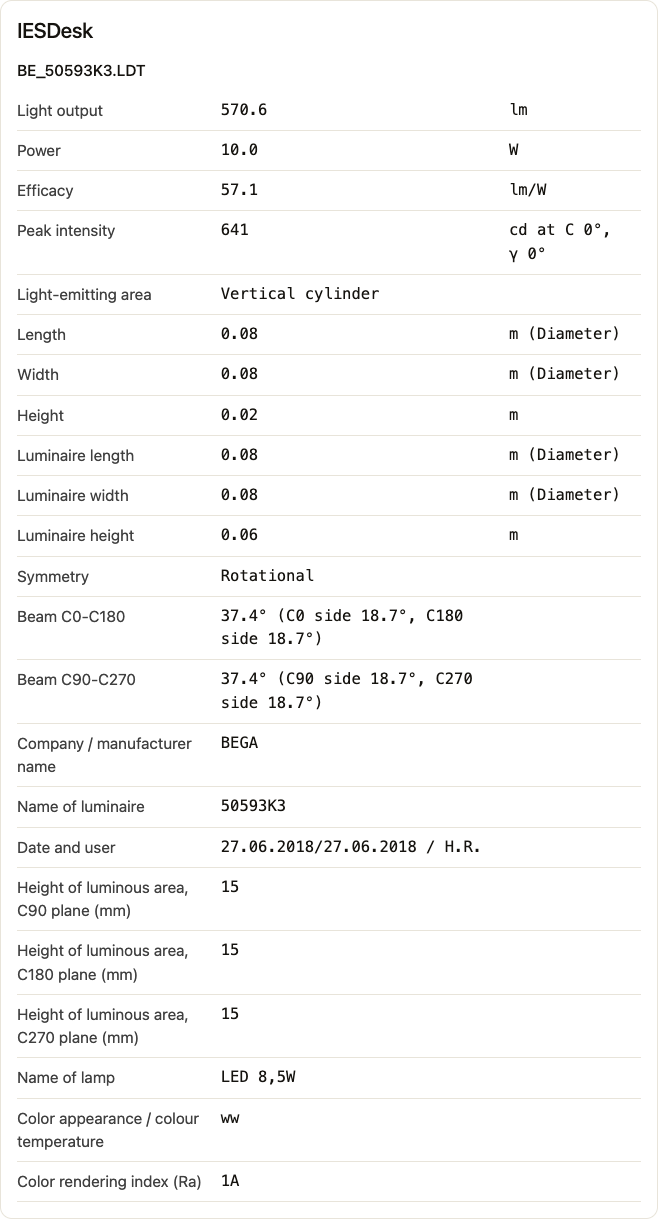
How the file reaches IESDesk
When IESDesk needs a file, a small IESDesk box shows in the chat. You drop the file, or a folder for an edit, in the box. The box sends the file straight to your IESDesk account. The AI does not read or type the file, and it never sees the candela values.
What stays the same
- The light data never changes. An edit changes metadata only: names, catalog numbers, lamp text, power, sizes and file names. Every exported file goes through the same checks as the Edit page, and your original files stay as they were.
- You confirm every change. Nothing changes until you confirm it. The AI cannot confirm for you.
- A scene gives an idea. For a design that must meet a standard, check it in your lighting design software.
What it costs
Nothing. A free IESDesk account can make 50 checks a day in the chat. Each view, comparison, scene or edit is one check. An Enterprise account makes 500.
Start in three steps
- Sign up for IESDesk with your work email address.
- In Claude or ChatGPT, add a custom connector named IESDesk with the address
https://iesdesk.com/mcp. - Select Allow on the IESDesk page that opens. Then ask your first question.
The guide Use IESDesk in Claude and ChatGPT has every step, with pictures. You can disconnect at any time on your Account page.